Ludo Battle Game Download — Pakistan’s Biggest Multi-Game App Is Here (2026)
Pakistan’s gaming scene has been waiting for something like this. Not another single-game app. Not a reskinned copy of something from the past. Ludo Battle Game is a full multi-game platform, and right now, it’s the biggest of its kind in the country. Experience the excitement with the Ludo Battle Game Download.
The APK is available for direct download. This guide will show you exactly how to get it on your Android device in under 10 minutes.

Why “Pakistan’s Biggest Multi-Game App” Isn’t Just a Claim
That title needs to be earned — so let’s break down what actually makes Ludo Battle the biggest multi-game app in Pakistan right now.
It’s not one game, not two. Inside a single game you get access to an entire library — Ludo, Teen Patti, Crash, Slots, and more games being added to the platform regularly. Every category of game that Pakistani players love is present in one game.
Compare that to what most local gaming apps offer:
- One game dressed up with different themes
- Bots pretending to be real players
- Fragmented apps — one download per game
- No real earning structure
Ludo Battle flips all of that. One download, one account, real players, real variety — and a platform that actually rewards skilled gameplay. That’s why the player base in Pakistan keeps growing.
How to Download the Ludo Battle APK on Android
No complicated steps. No technical knowledge needed. Just follow these four steps and you’ll be inside the app in under 10 minutes.
Download the Ludo Battle APK
Open Chrome on your Android device and go directly to ludobattle.com.pk. The Download button sits at the top of the page — tap it and the APK file will land straight in your Downloads folder within seconds.Only download the mentioned official site. Third-party APK sites carry outdated or modified versions of the app that can cause login failures, missing features, or security issues. The official site is the only safe and up-to-date source.
Allow APK Installation on Your Android
Because the Ludo Battle APK comes directly from the web, rather than the Play Store, Android requires a one-time permission before it will install. This is standard for all APK side-loading and takes less than a minute to sort out.
Android 8.0 and above:
- Tap the downloaded APK file from your notification bar or Downloads folder
- Android will show a security prompt — tap Settings
- Toggle “Allow from this source” ON
- Press back and you’ll return to the install screen automatically
Android 7.0 and below:
- Open Settings and go to Security
- Find “Unknown Sources” and switch it ON
- Head back to your Downloads folder and tap the APK file
Security tip: Once Ludo Battle is installed, go back and turn this permission off. It only needs to be active during the installation — switching it off afterwards keeps your device secure.
Install the App in 60 Seconds
With the permission in place, tap the APK file and the Android installer will open. You’ll see the app name, the permissions it needs, and a clear Install button at the bottom.Tap Install and keep your screen on. The process takes anywhere from 30 to 60 seconds depending on your device. When the “App Installed” screen appears — you’re done. The hardest part is already behind you.
The APK Is Just the Beginning
Getting the app installed is step one. What happens next is where Ludo Battle really separates itself from every other gaming app in Pakistan.
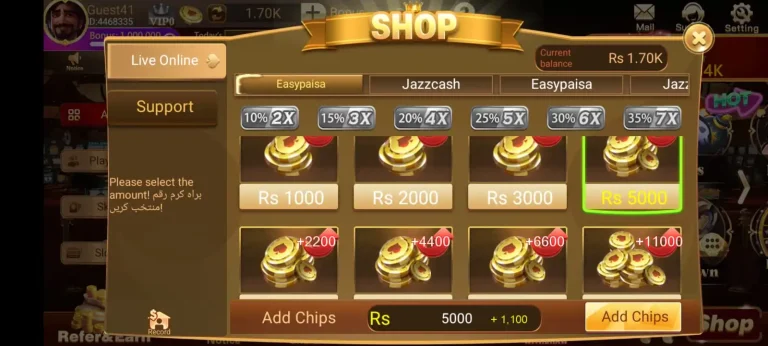
The lobby puts every game category in front of you the moment you log in. Pick any game, choose your stake level, and you’re in a live session against real Pakistani players within seconds. No long queues, no bot lobbies, no waiting around.
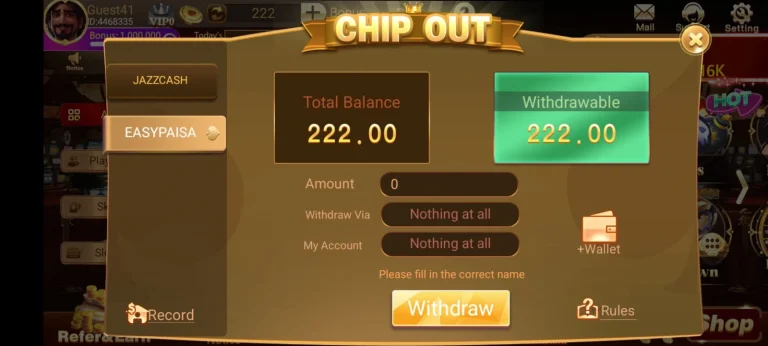
For players focused on earning, the key is patience and consistency. The platform rewards players who take the time to understand their best game and stick to it. Jumping between every game in the library without mastering any of them is the fastest way to burn through your balance. Find your game, learn it properly, win games, withdraw your earnings, and scale up from there.
Why Pakistani Players Trust Ludo Battle
This is a fair question and it deserves a straight answer.
Ludo Battle Game is a Pakistan-based platform built specifically for local players. The APK you download from the official site is clean, regularly updated, and already trusted by a large and growing player base across the country. Secure connections, protected accounts, safe deposits, and fair game mechanics are built into the platform — not added as an afterthought.
The platform’s reputation has been built steadily over time through consistent delivery, not marketing promises. That kind of trust is hard to fake — and in Pakistan’s competitive online gaming space, it matters.
The only unsafe version of this APK is one that doesn’t come from ludobattle.com.pk directly. Stick to the source and you have nothing to worry about.
Use the in game support for your assistance, contact the team whenever you need it. Game support member are active 24/7 to help the users with any issues they might encounter.
FAQ’s
Conclusion
Pakistan’s biggest multi-game app isn’t coming — it’s already here. The Ludo Battle APK puts an entire gaming platform in your pocket, built for Pakistani players who want real competition, real variety, and real rewards.
The download takes seconds. The install takes minutes. What happens after that is up to you.
Don’t miss out on the fun! Get the Ludo Battle Game Download to start your gaming adventure today.